Stop running your D&D game from five tabs.
Battle maps with fog of war, initiative and stat blocks, your NPCs and notes, and a recap after every session. All in one app, at the table or on Discord.
Battle maps, combat, NPCs and session recaps in one app. At the table or on Discord.
First campaign free. Players never pay. No account needed to try the map.





Tap a piece to see what's inside.
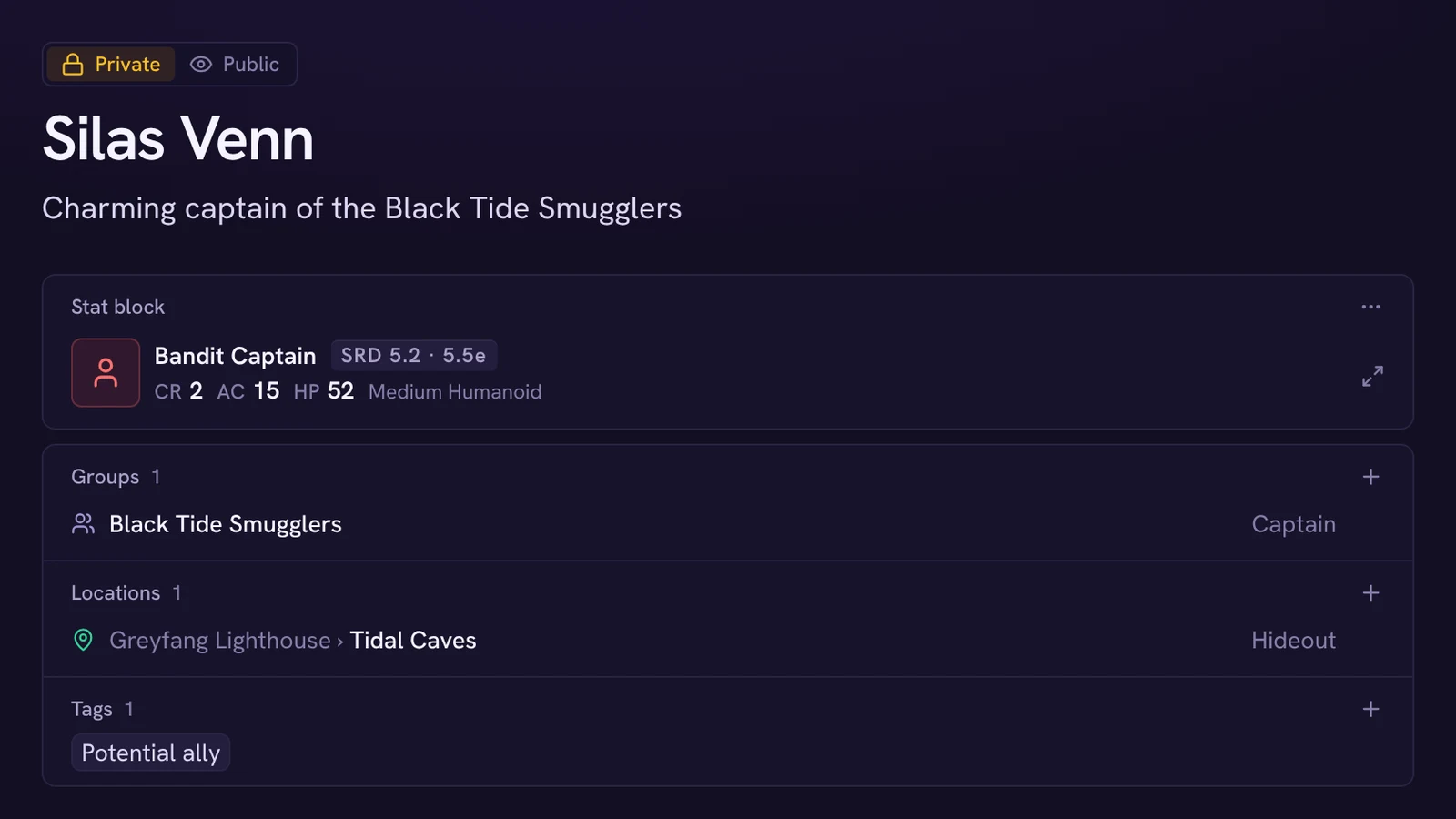
- NPCs
- Each with a role, a group and the place to find them.
- Places
- Nested from a whole city down to a single room.
- Groups
- Factions, guilds and families, with who belongs where.
- World map
- Pins and regions that open the page for each place.
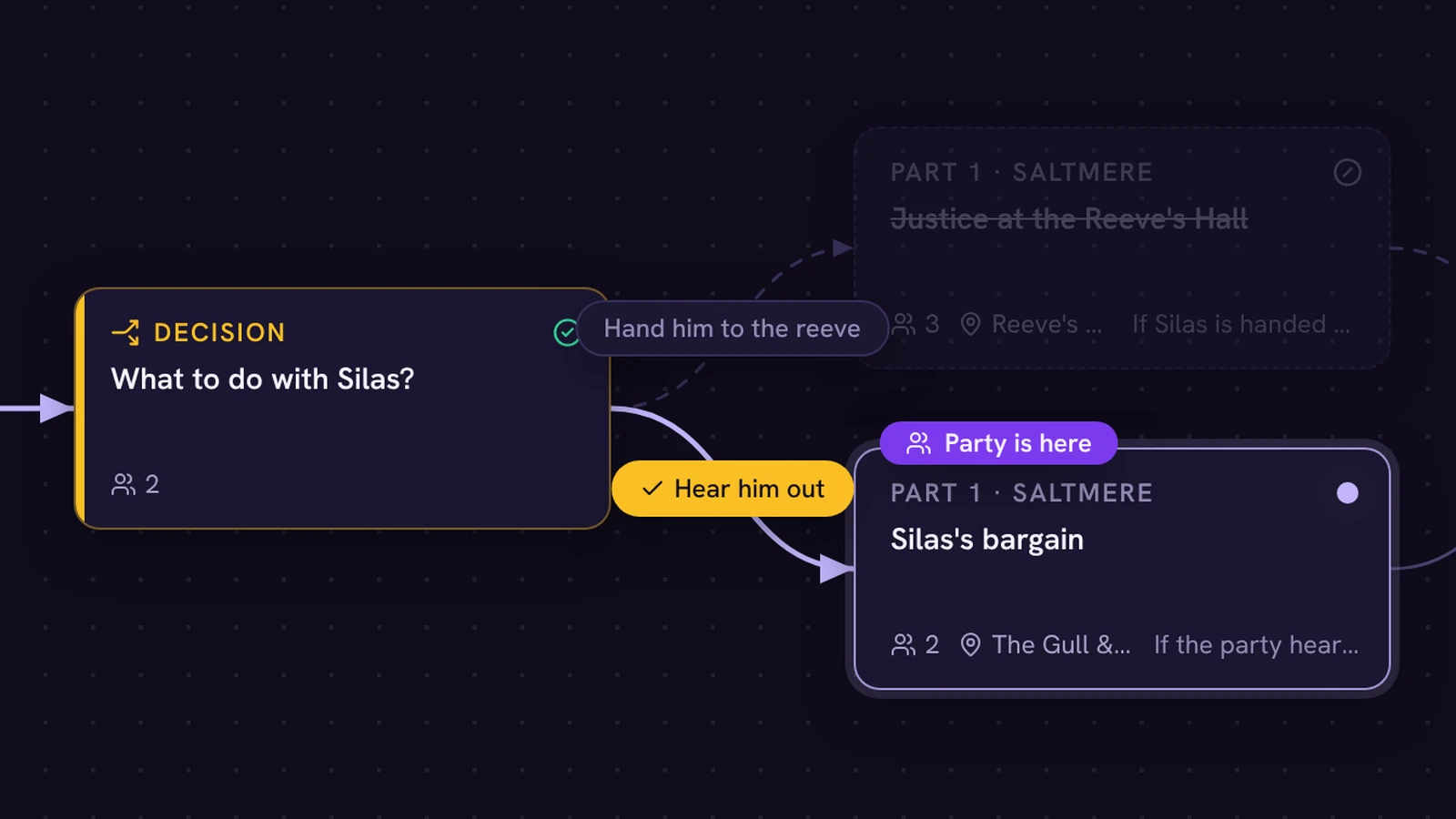
- Storyline
- Branching beats, with a marker for where the party is.
- Quests
- What the party is chasing, and how far along they are.
- Next session
- The recap, open quests and the date, on one page.
- Monsters
- Every free SRD monster, plus the ones you write.
- Encounters
- Set up before the session, started in one click.
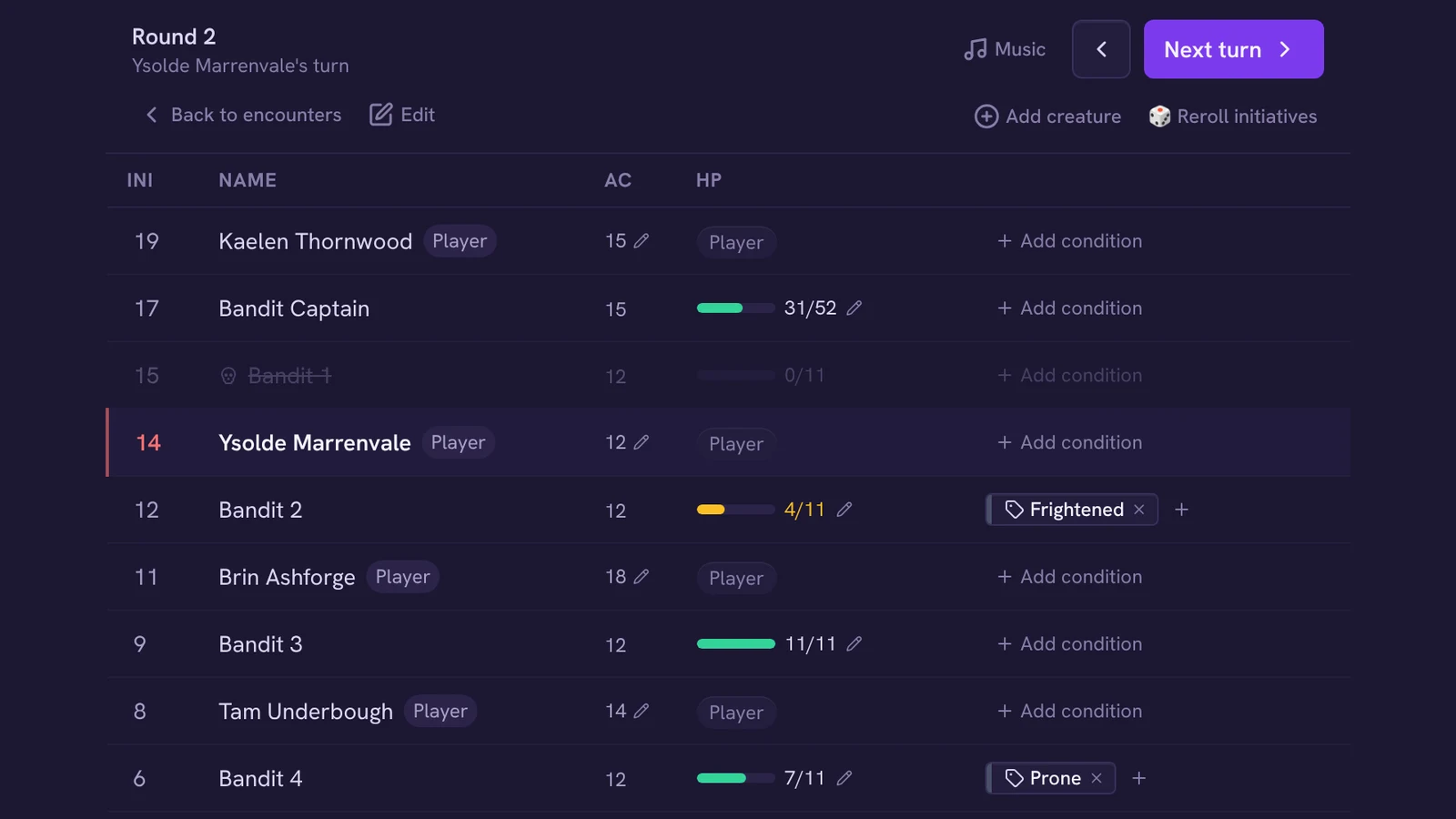
- Combat
- Initiative, HP and stat blocks you can roll from.
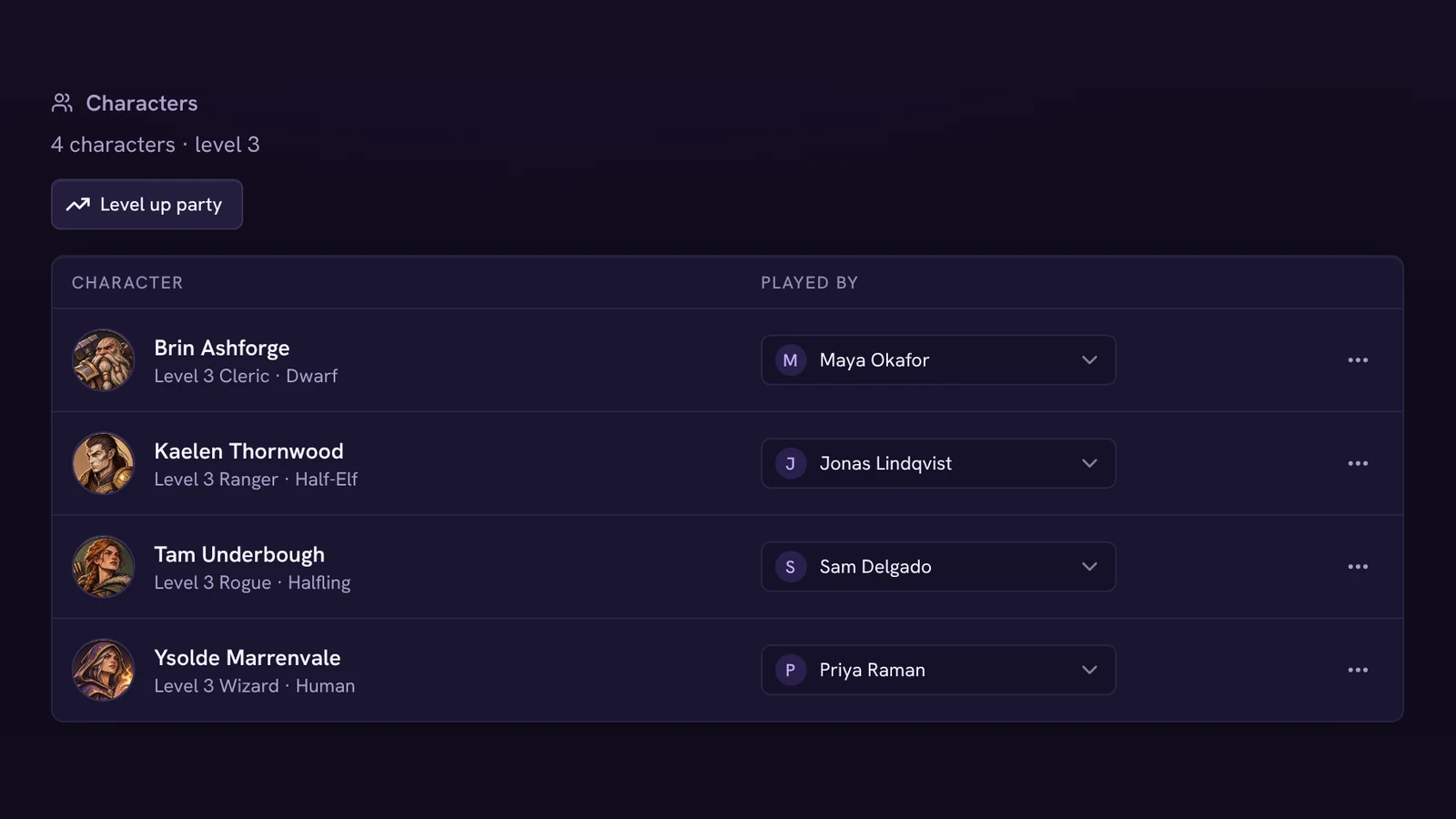
- Party
- Characters imported from D&D Beyond or made here.
- Maps
- Walls, doors and fog you reveal room by room.
- Handouts
- Letters and images your players see when you show them.
- Dice
- 3D rolls the whole table can watch.
- Recording
- A Discord bot in your voice channel, or a phone in the middle of the table.
- Session recap
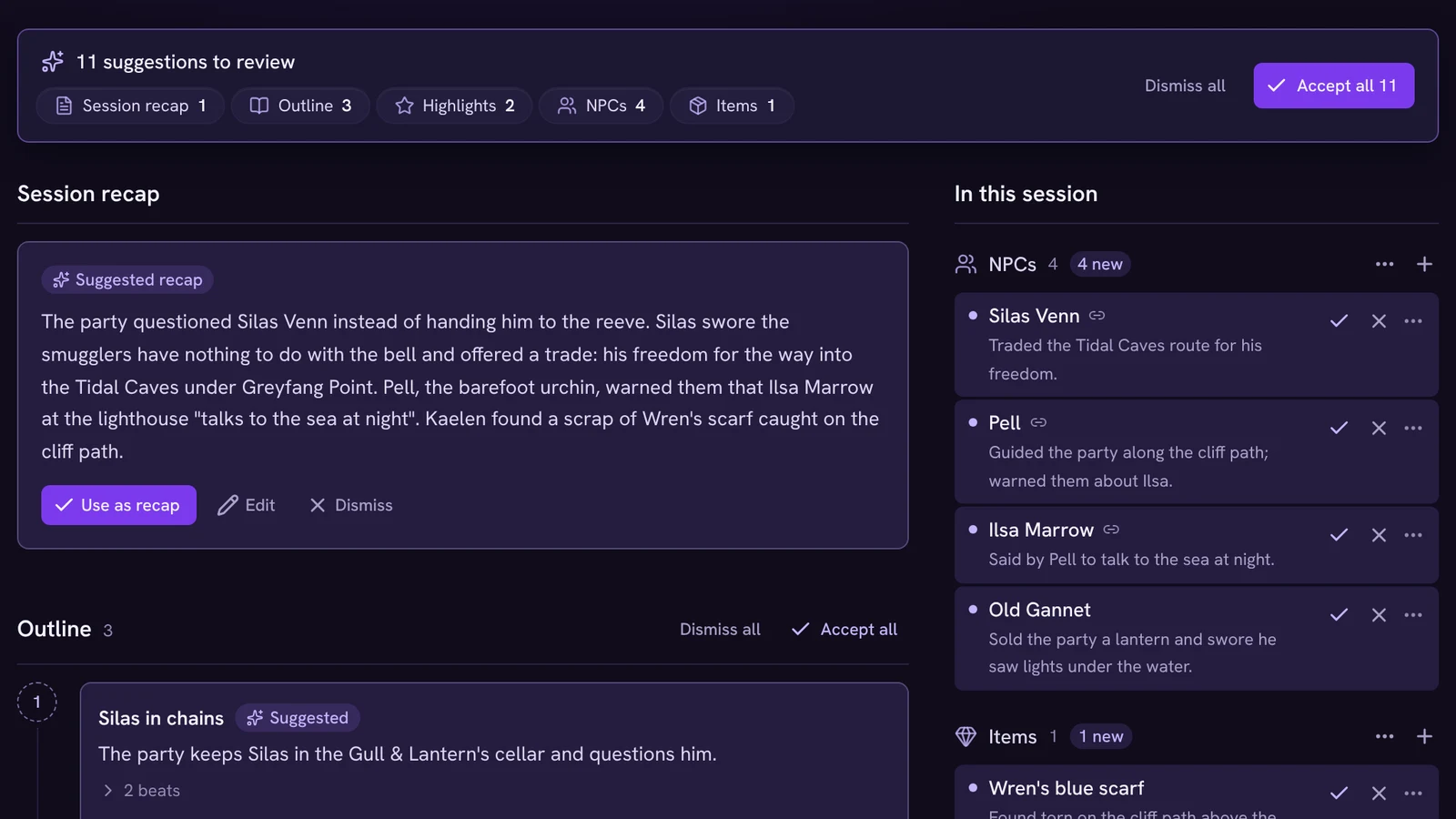
- Written up for you after every session.
- Suggested updates
- Changes to NPCs, quests and the party marker, waiting for your OK.
- Ask your campaign
- Questions answered from your notes and wiki.
Pick any piece to see what it feeds.
Recap
Record the session, then read what happened and what it changes.
- Recording
- A Discord bot in your voice channel, or a phone in the middle of the table.
- Session recap
- Written up for you after every session.
- Suggested updates
- Changes to NPCs, quests and the party marker, waiting for your OK.
- Ask your campaign
- Questions answered from your notes and wiki.
Run everything from your laptop behind the screen. Players follow on their phones, and a TV shows only what the party should see.
The bot joins your voice channel, tells everyone it's recording, and hands you the session as notes.
Same campaign, same pages. Play in person one week and online the next.
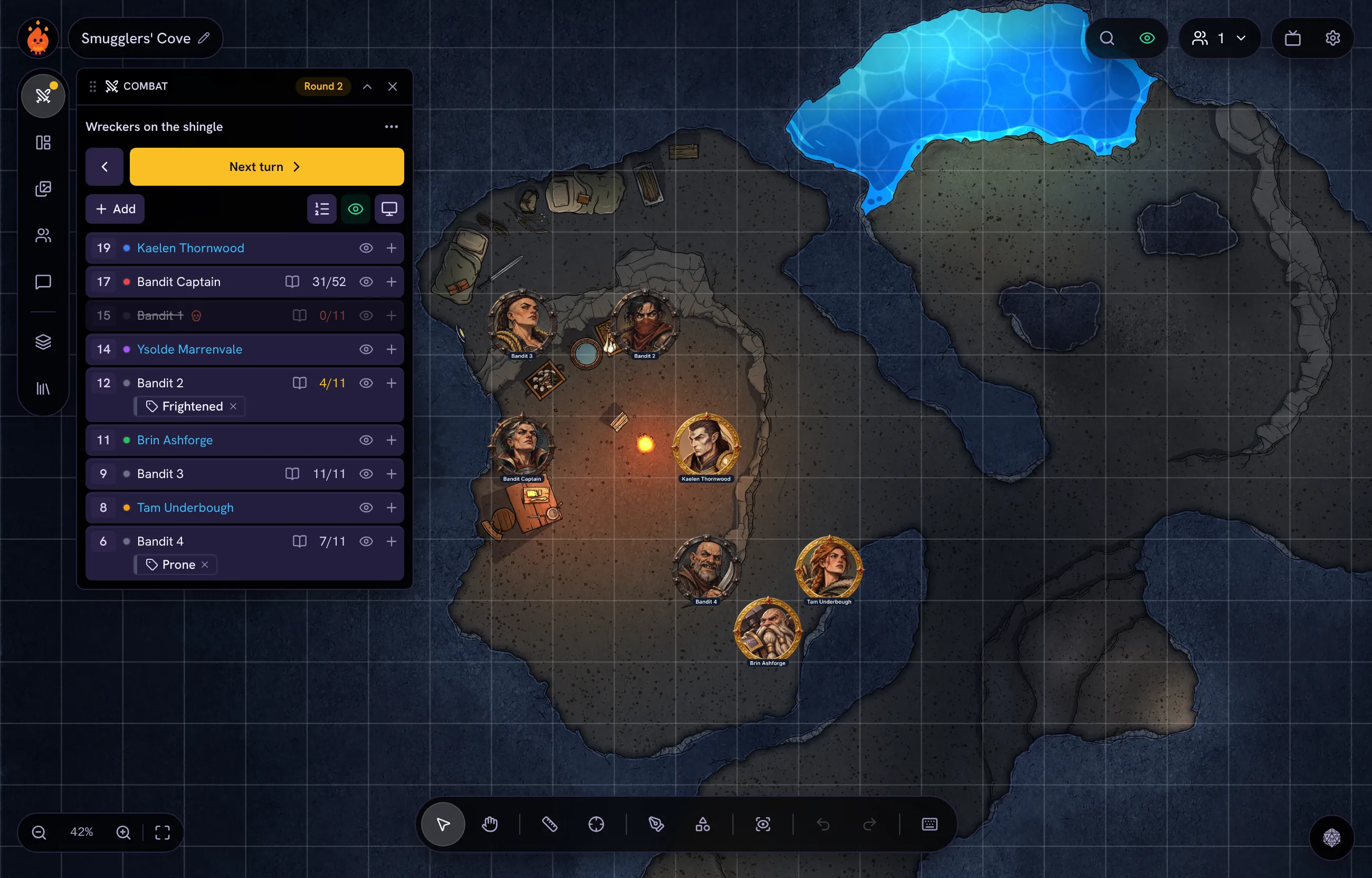
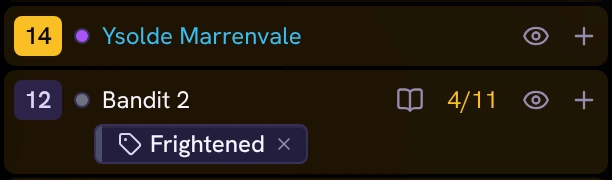
Roll initiative without leaving the map.
The map, the monsters' hit points, the handouts and the dice sit in one place, so you look up at your players more than down at the screen.
- Combat with initiative, HP and stat blocks you roll from with one click
- Battle maps with walls, doors and fog. Reveal a room with one click
- Players join from a link and see the map on their own phones
- Handouts fade in when you say, not before
- Got a TV? Send it the party's view, dice included
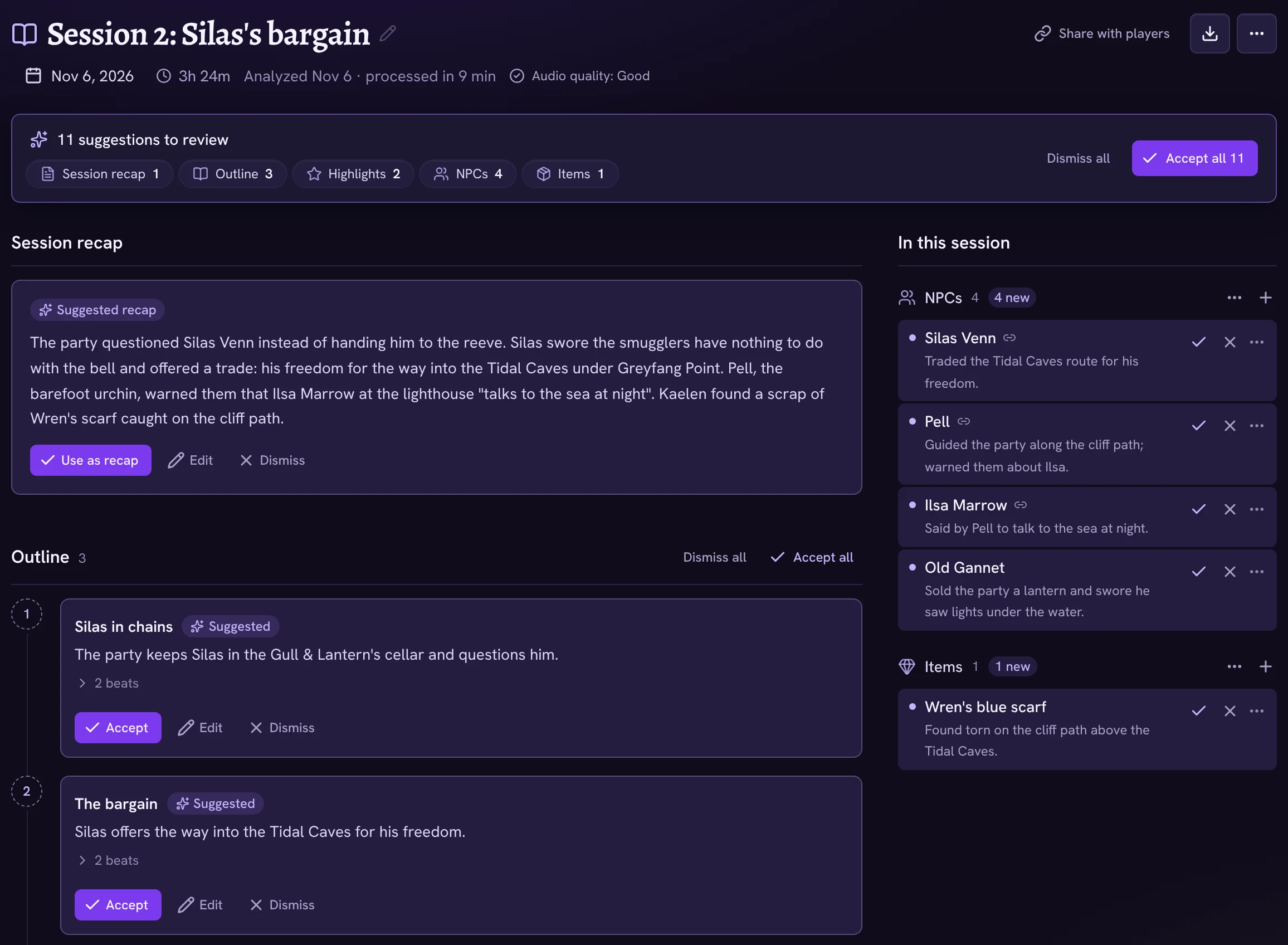
Put a phone on the table. Get the session back as your campaign.
Record in the room or in your Discord voice channel. Afterwards you get a recap, and a short list of changes it noticed, waiting for your OK.
- Records at the table or in your Discord voice channel
- Suggests new NPCs and updates to the ones you have. Nothing is added without your OK
- Moves quests along and puts the party marker where the session ended
- Ask “who gave us the key?” and get the session it came from
- Everyone is told they're being recorded, every time
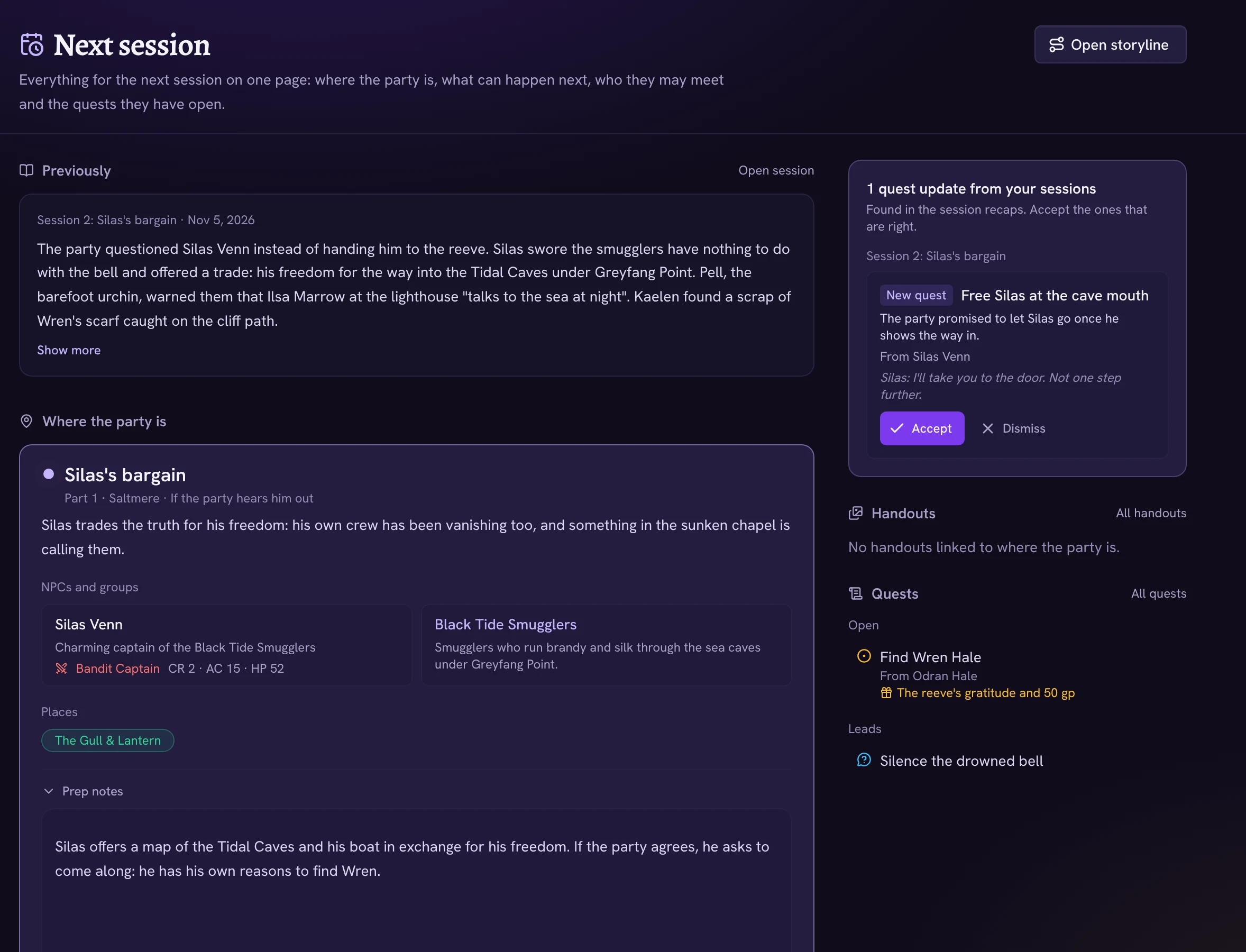
Your world, your story and your next session, in one place.
Prep starts where the party stopped, because the last session already moved the marker.
- A storyline of branching beats that knows where the party is
- A Next session page with the recap, open quests and the date
- NPCs, places and groups, linked to each other and to your beats
- A world map with pins and regions, or bring one from Azgaar
- An in-game calendar with a timeline your sessions fill in
Also in the box
- 2024 SRD monstersThe free SRD monsters, ready to drop into a fight.
- Monster studioDescribe a monster and get a stat block balanced by the numbers, not a guess.
- D&D Beyond importBring your players' characters over from their public sheets.
- Player accountsPlayers see the pages you share and nothing else.
- 3D diceRolls everyone watches land, on screen or on the TV.
- Handout foldersLetters, images and maps, filed the way you like.
- Map importsBring Universal VTT (dd2vtt) maps with their walls and doors.
- EncountersFights set up ahead on a story beat, ready to start.
Free tools for your next session
They work in your browser. No account, no sign-up.
- Initiative trackerTurn order, rounds, HP and notes for every creature in the fight.Open the tool
- Encounter calculatorHow hard a fight is for your party, with 2024 or 2014 rules.Open the tool
- 3D dice roller3D dice from d4 to d100, with advantage, modifiers and roll history.Open the tool
- Battle map with fog of warFog of war, tokens, walls and lights. Try it with no account.Open the tool
Pricing
Players never pay. Start free, and upgrade when you run more than one campaign or want your sessions written up.
Free
$0
Free for good
- One campaign, with every prep and play tool
- 10 starter credits
- 4 recording hours to try it
- 2 GB for maps, art, handouts and PDFs
Adventurer
$6/month
Billed monthly
- Everything in Free
- Every campaign you run
- 30 credits each month
- Record sessions with credits, 15 per hour
- 25 GB for maps, art, handouts and PDFs
Archmage
$15/month
Billed monthly
- Everything in Adventurer
- 16 recorded hours each month, written up
- 150 credits each month
- 100 GB for maps, art, handouts and PDFs
Questions
Do my players need to pay or sign up?
No. Players join free from a link. An account lets them keep their character and see the pages you share with them.
Do I need a TV?
No. Most DMs run from a laptop while players follow on their phones. A TV is a bonus: it shows only what the party should see.
Does it replace Foundry or Roll20?
For many tables, yes: maps with walls, fog and tokens, combat, handouts and dice are all here. It doesn't automate game rules or character sheets the way those tools can.
Is recording my table private?
Everyone is told when a session is being recorded. The audio stays with that session's note until you delete it.
What are credits?
Credits pay for the optional AI helpers, like having a monster drafted from a one-line description. Building a monster by hand, and everything else you do in the app, never uses credits. Recording uses your plan's hours first (Archmage includes 16 a month), then 15 credits per hour.
Can I bring my campaign from somewhere else?
Yes. Import a campaign from Obsidian, Notion, Kanka, LegendKeeper or any folder of Markdown files, plus D&D Beyond characters, Azgaar world maps and Universal VTT battle maps.
How do you use AI?
AI writes recaps, suggests updates and drafts monsters. It never changes your campaign without your OK, and we never train AI on your campaign. Everything else in the app works without it. Read more
Run your next session on it.
Set up your campaign in a few minutes, bring your players' characters over from D&D Beyond, and run your next session from one screen.
- First campaign free
- No card needed
- Players never pay